
CoderSathi
  • Tutorial
    • Java Tutorial
    • Swing Tutorial
    • JDBC Tutorial
    • Java String Tutorial
    • Servlet and JSP Tutorial
  • Mongo DB
  • AWS
  • DevOps
  • Linux
  • Git
Home > Swing > Swing Timer

Swing Tutorial

  • What Is Java Swing
  • First Program
  • What is AWT
  • Advantages of Swing Over AWT
  • JFrame
  • Swing Components
  • JLabel
  • JTextField
  • JPasswordField
  • JButton
  • Event Handling
  • FlowLayout
  • BorderLayout
  • GridLayout
  • GridBagLayout
  • BoxLayout
  • JPanel
  • JCheckBox
  • JRadioButton
  • Border Component
  • JComboBox
  • JList
  • JList with MVC
  • Mouse Event
  • Key Event
  • JMenuBar
  • JTextArea
  • Using Color
  • Use Font
  • Display Image/Icon
  • Dialog Box
  • JTable
  • JDesktopPane and JInternalFrame
  • JDesktopPane
  • JInternalFrame
  • Adapter Classes
  • Swing Timer
  • JScrollPane
  • JSlider
  • JProgressBar
  • JSeparator
  • JToolBar
  • ActionListener
  • ItemListener
  • Worker Thread
  • Nimbus Look and Feel

Swing Timer

Learn the concepts, implementation details, and practical steps with a clean developer-focused walkthrough.

Yuba Raj Kalathoki
By Yuba Raj Kalathoki
Last updated: July 1, 2026 · 1 min read · 0 Comments
Share: in X

Swing Timer is a part of the Java Swing library. It offers a simple way to perform tasks repeatedly with a defined delay between each execution. This functionality is especially useful for scenarios when updating live data, creating animations, or scheduling periodic checks.

Following is a hands-on example demonstrating how to utilize Swing Timers:

import java.awt.Font;
import java.awt.event.ActionEvent;
import java.awt.event.ActionListener;

import javax.swing.JFrame;
import javax.swing.JLabel;
import javax.swing.SwingConstants;
import javax.swing.SwingUtilities;
import javax.swing.Timer;

public class SwingTimerDemo extends JFrame {
	private JLabel timerLabel;
	private Timer swingTimer;
	private int secondsPassed;

	public SwingTimerDemo() {
		setTitle("Swing Timer Demo");
		setSize(300, 150);
		setDefaultCloseOperation(EXIT_ON_CLOSE);
		setLocationRelativeTo(null);

		timerLabel = new JLabel("Seconds passed: 0");
		timerLabel.setFont(new Font("Arial", Font.BOLD, 20));
		timerLabel.setHorizontalAlignment(SwingConstants.CENTER);

		swingTimer = new Timer(1000, new ActionListener() {
			@Override
			public void actionPerformed(ActionEvent e) {
				secondsPassed++;
				timerLabel.setText("Seconds passed: " + secondsPassed);
			}
		});
		swingTimer.start();

		add(timerLabel);
	}

	public static void main(String[] args) {
		SwingUtilities.invokeLater(new Runnable() {
			@Override
			public void run() {
				new SwingTimerDemo().setVisible(true);
			}
		});
	}

}

Output:
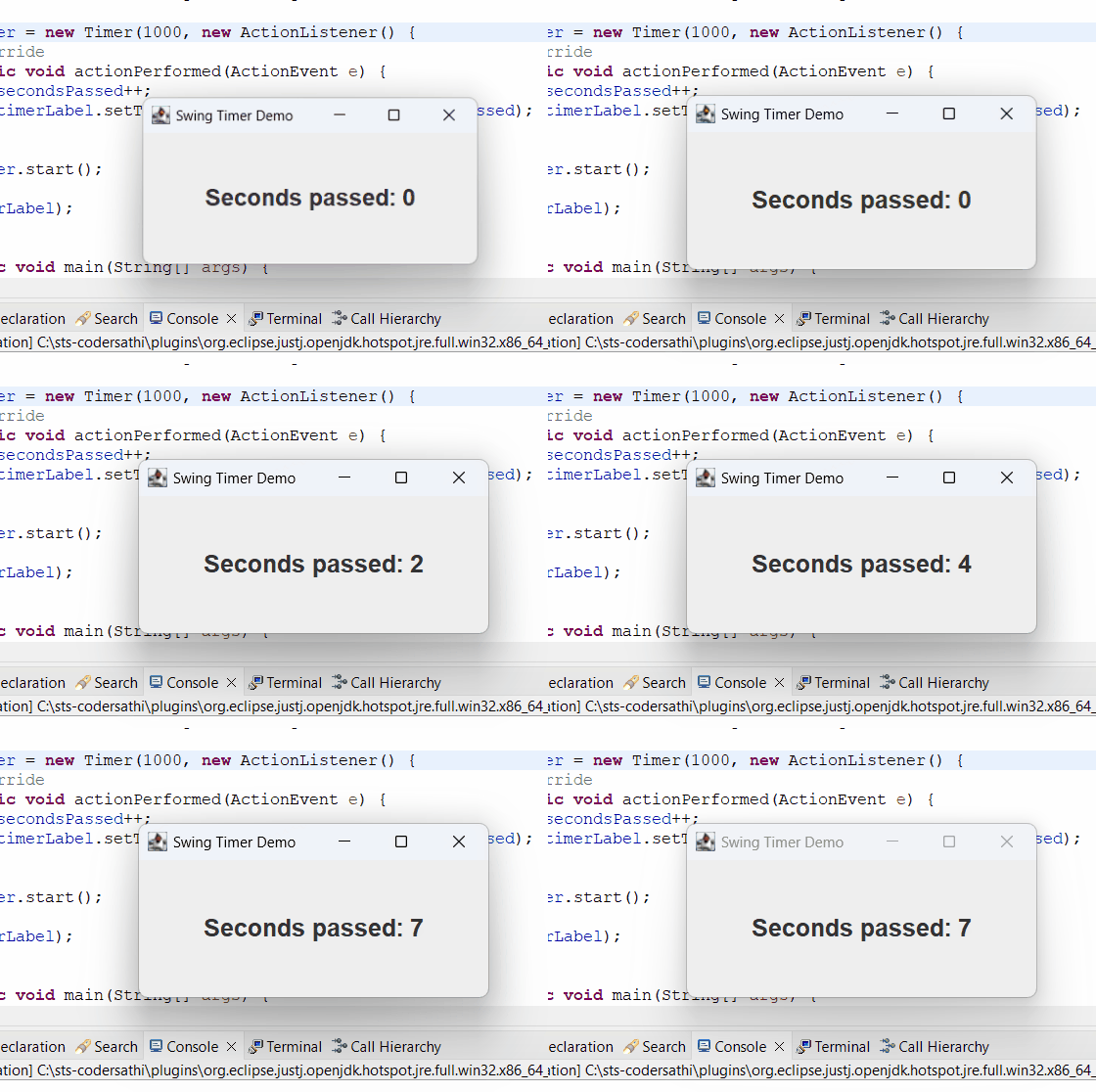
swing timer

Related Posts:

  • Use Font in Java Swing Application
  • What Is Java Swing? A Complete Guide to Java’s GUI Toolkit
  • User Defined Exception in Java
  • Event Handling in Java Swing
  • Control Statements in Java
  • Nimbus Look and Feel in Java Swing
Tags:guijavaswing
Was this article helpful?
← Previous ArticleSwing Worker Thread
Next Article →Nimbus Look and Feel in Java Swing

Recent Posts

  • How to implement Passwordless Authentication in Spring Boot: A Step-by-Step Guide
  • How to Use AWS CloudFront Signed URLs in Spring Boot?
  • How to Fix SSH Agent Forwarding on macOS: The Ultimate Guide for Developers
  • How to Read AWS Secrets Manager in Spring Boot (Step-by-Step)
  • How to Fix “Public Key Retrieval is not allowed” MySQL JDBC Error
CoderSathi

Your go-to resource for Java, Spring Boot, Microservices, AWS, and modern development tutorials.

Linkedin

Quick Links

  • About
  • Contact

Popular Topics

  • Java
  • Spring Boot
  • AWS
  • DevOps
  • MongoDB
  • Linux
  • Git
  • How to
© 2026 CoderSathi. All rights reserved. Privacy Policy · Sitemap